
We may earn a commission when you buy through links on this page. It never changes what we recommend. How we pick
On this page9 parts
- Coffee Grinder Not Working? Read What It Is Doing First
- Silent With Power, the Outlet, the Hopper and the Lid
- Humming but Not Grinding, How to Clear a Jam
- Stopped Mid-Grind, the Heat Cutoff Doing Its Job
- Runs but Barely Grinds, the Month-Two Chute and Worn Burrs
- When It Is a Repair, and When It Is a New Grinder
- A Hand Grinder That Won't Turn
- Listen First, Then Seat the Hopper and Grind One Coarse Dose
- Frequently Asked Questions
You press the switch with the kettle already heating and nothing turns, or the grinder hums, strains and drops a pinch of grounds into an empty bin. The motor probably hasn’t died. Why is your coffee grinder not working has four answers, and the grinder tells you which one by what it does: it stays silent, it hums, it spins with nothing coming out, or it quits halfway. Three of the four point at something free, such as a hopper that never clicked, a packed chute or a motor that got hot and cut itself off.
Below come the symptom first, then the checks in order, then the point where fixing turns into a repair. Once it runs again, the setting goes back to being a taste question, and how grind size moves a cup from sour to bitter takes over from there.
Quick Answer
Most grinders that stop are unseated, jammed or overheated rather than dead, so work down this list and try one dose after each step.
- Check the outlet, the breaker and the grinder’s own power switch.
- Seat the hopper, lid or bin until it clicks into place.
- Unplug, clear the chute and burrs, then restart at the coarsest setting.
- Let it cool fully if it quit partway through a dose.
- Book a repair if it stays silent, smells burnt, sparks or trips the breaker.
Coffee Grinder Not Working? Read What It Is Doing First
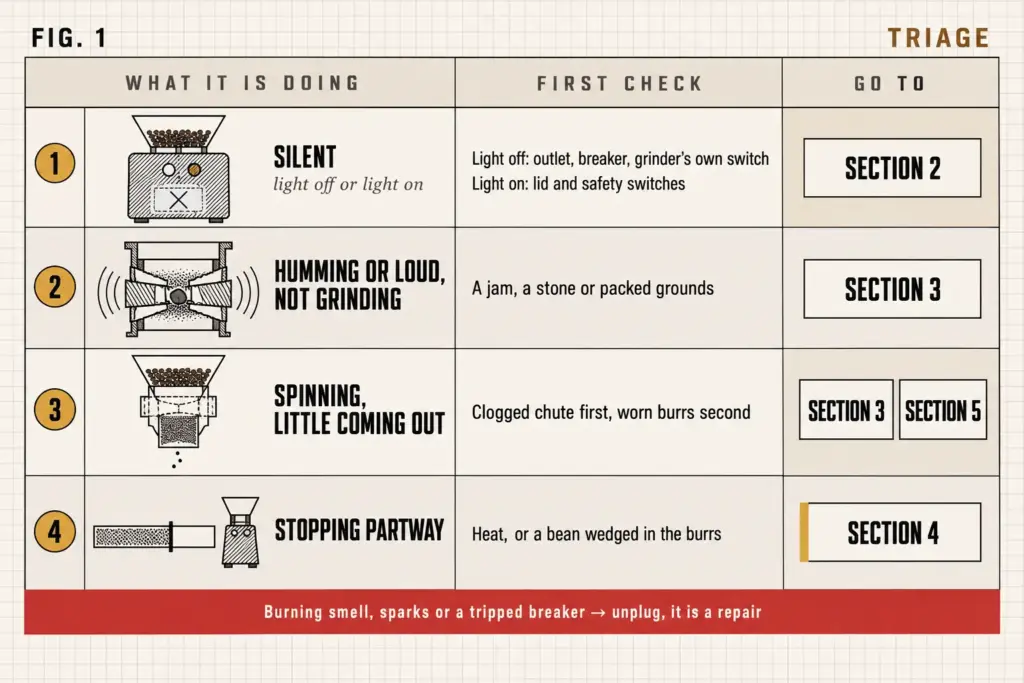
“Not working” covers four different grinders, and each one points to a different part, so spend the first minute listening rather than unscrewing. A grinder that is about to clog usually warns you a dose or two early, when the motor starts to labor and its pitch climbs.
Silent, With the Light Off or On
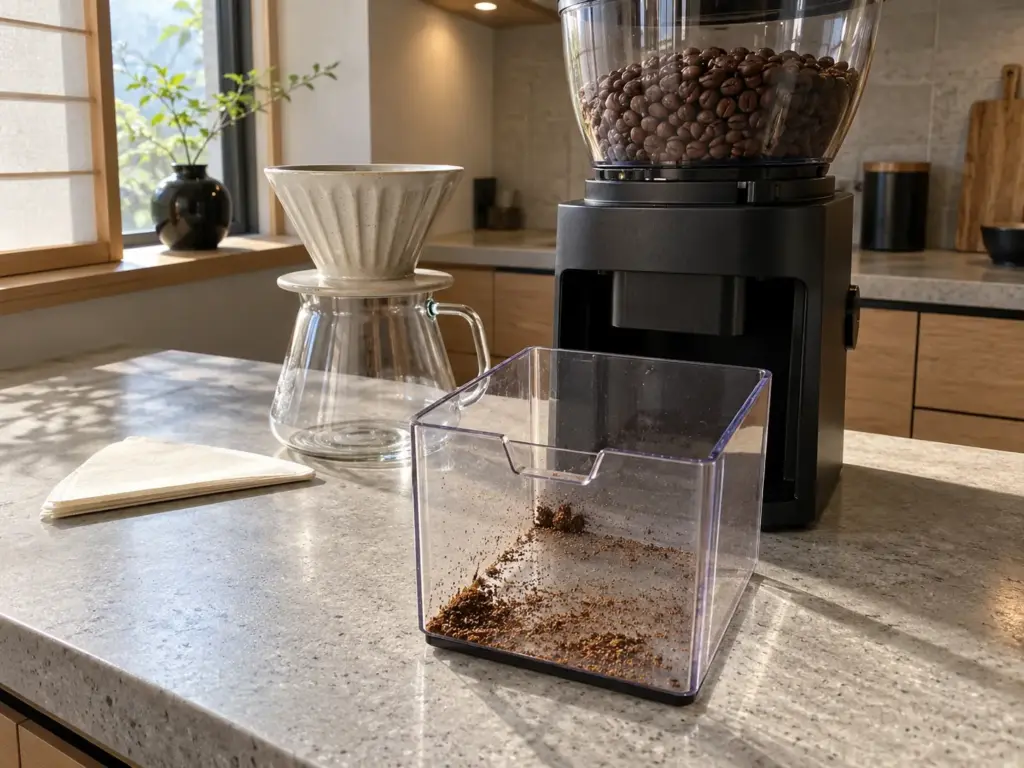
No light and no sound starts at the wall, and the next section takes the power path one step at a time. A lit screen with a silent motor is a different grinder: power reaches the controls, so the suspect is a safety switch that thinks a part is missing (on the hopper, the lid or the bin). If every part is seated, what is left is the motor and its wiring: on a commercial Mahlkönig K30ES with a lit screen and a silent motor, a capacitor swap changed nothing, and the fault turned out to be a cable loose inside the motor.
Humming, or Spinning With Nothing Coming Out
A hum with no turning, or a loud racket, means the motor has power and something is holding the burrs: a stone, grounds packed hard in the chute, or burrs set so fine they lock. A second-hand Eureka that makes noise and grinds nothing often starts with one question: does the motor spin while the burrs do not? A bean-to-cup grinder can sound the same way, as if it is stuck. Spinning freely with little coming out points at a clogged chute (the discharge chute between the burr chamber and the bin) first and worn burrs second, as KitchenAid’s support page notes.
Put the four side by side. Silence with no light is the power, silence with a light is a switch or the wiring, a hum is a blockage, a spin with nothing coming out is the chute or the burrs, and a stop partway is heat or a wedged bean. A grinder that throws grounds around the bin at normal speed isn’t jammed at all: a spray of grounds on the counter is static, and weighing beans in against grounds out settles it.
Stopping Partway Through the Dose
A stop mid-dose is heat or a jam, and KitchenAid’s troubleshooting page puts the second one plainly: “A coffee bean, may have jammed the cutting burrs.” Sometimes the cause never turns up. On a Baratza Sette, the timer can keep counting while the burrs will not move; re-seating the burr and the hopper, and unplugging it, can make it run again.
Whatever the symptom, a burning smell, sparks or a tripped breaker means unplug it and stop.
Silent With Power, the Outlet, the Hopper and the Lid
A grinder that does nothing at all is the one most likely to be fine. Most are built to stay off unless every part is locked in place, and a hopper that went back on a few degrees short of the click looks exactly like a dead motor.
The Outlet, the Breaker and the Grinder’s Own Switch
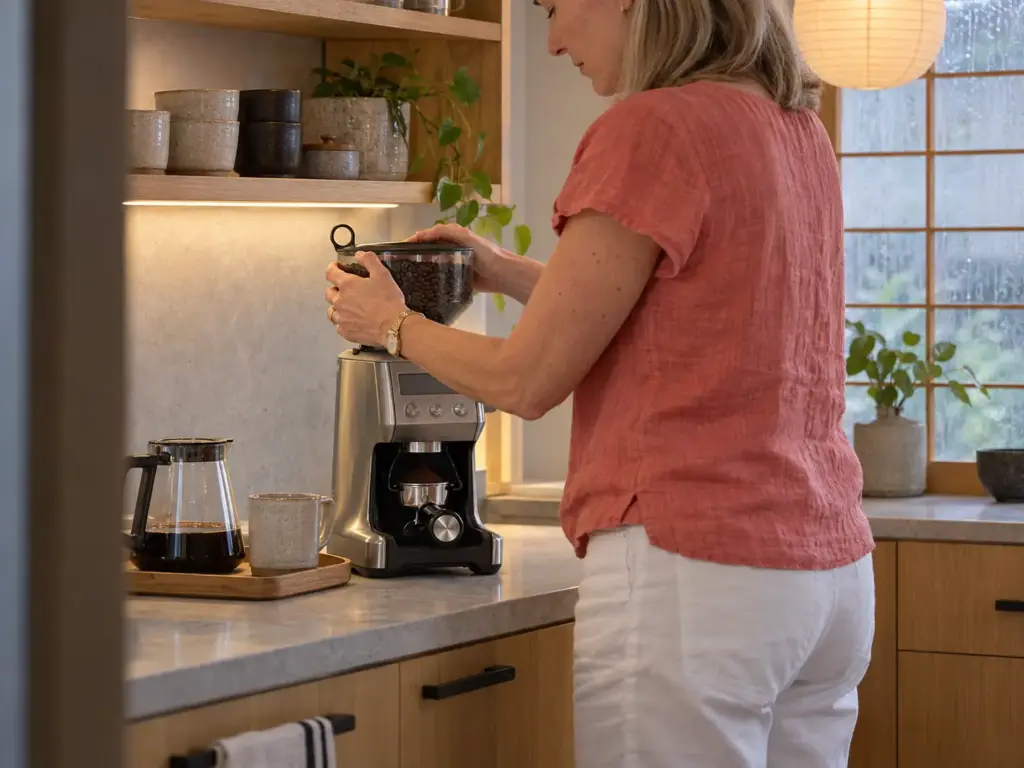
Take the power path one piece at a time and try the grinder after each: a lamp in the same outlet, the breaker, the outlet’s own reset button (many kitchen outlets have one and trip on their own), then the grinder’s own power switch, where it has one. KitchenAid’s support page for its burr grinder runs the same order, starting with a grounded three-prong outlet and a replug before the fuse or breaker.
Burr Grinders Won’t Run Without the Hopper
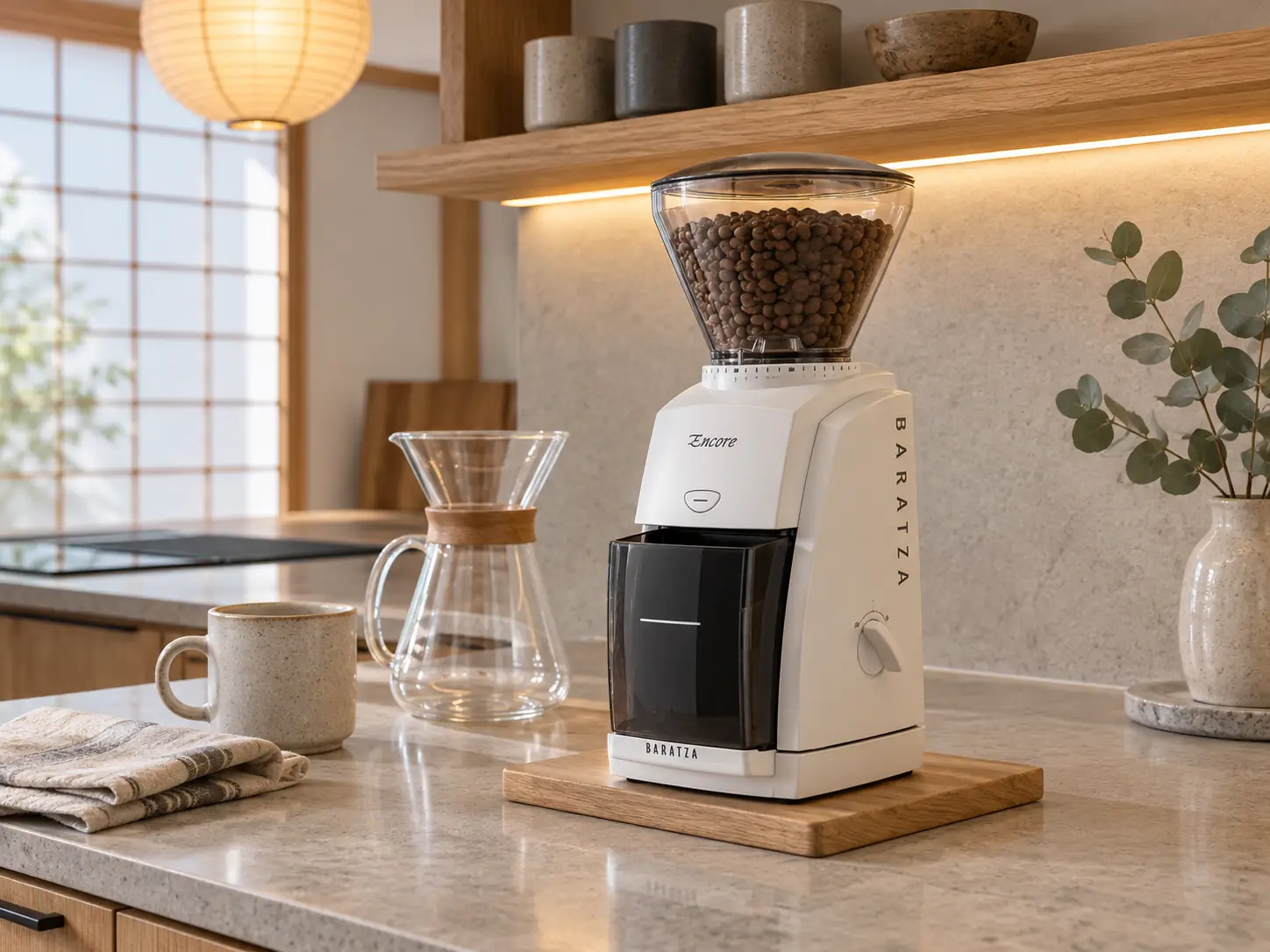
On most burr grinders the hopper is part of the switch. Baratza’s Encore manual puts it in one line, “The grinder will not start without the hopper installed,” and if the hopper won’t seat, the ring burr isn’t fully down or the adjustment ring hasn’t been turned all the way counterclockwise. Cuisinart’s burr grinder booklet (the DBM-8 family) needs the hopper and the grind chamber both in place, and Breville’s troubleshooting table adds that beans sitting on top of the burrs can block its hopper lock. Clear them, twist the hopper until it clicks, and try one dose.
A hopper that is seated but not locked sits a hair proud of the housing and wobbles when you nudge it. Run a fingertip around the seam and twist until your hand feels it stop: the click is easier to feel through the plastic than to hear over a kitchen.
Blade Grinders Won’t Run With the Lid Up
A blade grinder has no hopper, so the lid is the switch. Cuisinart’s booklet for its DCG-20 blade grinder says it “will not operate unless the lid is in place,” and that is the main difference between the switches on a blade grinder and a burr grinder. The Cuisinart DCG-12BC Grind Central works the same way, with stainless steel blades, a bowl for up to 90 g (3.2 oz) of beans and a lid interlock in Cuisinart’s listing, and grounds can slip past the blade drive so the cup will not reseat until the grounds under it are cleaned out. Its motor can overheat on long runs.
Screens That Say So, and Grinders That Fall Asleep
A screen often tells you what is wrong. The Breville Smart Grinder Pro, with conical steel burrs, 60 settings, a 1 lb hopper and a digital dose timer, shows PLEASE LOCK HOPPER and refuses to run until the hopper locks, and after 5 minutes idle it sleeps until you press any button. It is loud, its timer is not always reliable as beans de-gas, and its booklet caps a run at 2 minutes. Every one of these switches keeps fingers away from a live burr, which is also why clearing a jam starts with the plug out.
Humming but Not Grinding, How to Clear a Jam
Once the switches check out, a grinder that hums, labors or spins without dropping coffee is almost always blocked. The way you clear it decides whether this is a two-minute job or a new part.
Unplug It, Then Open the Top
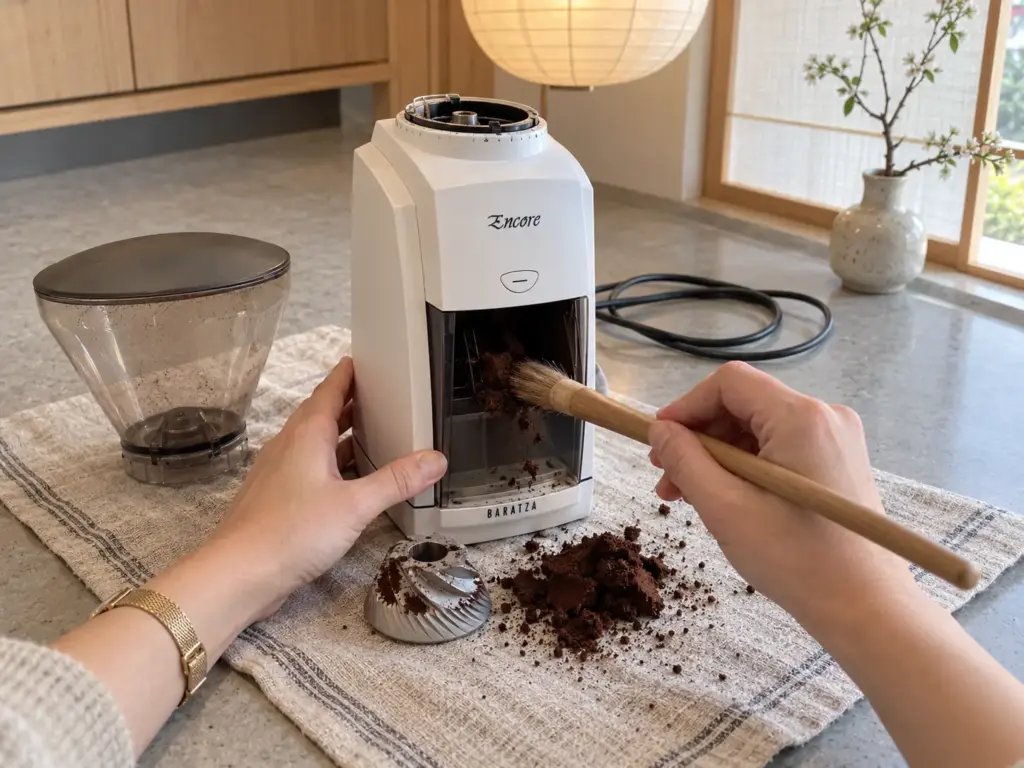
Start with the chute. Or rather, start with the plug, then the chute, because this is the one moment your fingers go near the burrs. The Baratza Encore, with 40 mm conical steel burrs, 40 settings and a 300 g hopper, is a good reference because its maker prints each step: empty the beans, unplug, turn the hopper counterclockwise to the triangle near 40 and lift it off, then lift the ring burr straight up by its tabs. That leaves the upper burr, the chamber and the chute in plain view, and a stone or a screw found there is your jam (Baratza’s warranty excludes damage from foreign objects in the beans).
Push the Chute Clear, Then Restart at the Coarsest Setting
Baratza’s own clog steps pick up from there:
- Push the packed coffee out of the chute with a brush handle or an unfolded paperclip.
- Check from above and from below until every bit is out.
- Reassemble, then test with a very coarse grind.
The Encore ships a brush in its grounds bin, so nothing needs buying. For a longer reach, the SPIRIT Cleaning Brush is a pair of 7.7-inch brushes with stiff bristles and a handle that pushes a packed chute clear, though the stiffness splits its buyers and one found bristles coming loose straight out of the package.
The coarse test proves the grinder turns freely, and the same fix is to open the burrs to the coarsest setting and run beans. Then step back down one setting at a time, tasting at each, and find your number again, because a burr that came out and went back in doesn’t always land where yesterday’s number did.
Watch the bin, not the motor. Grounds landing in clumps and bursts instead of a steady fall mean the chute is a dose or two from sealing, and clearing it then takes a minute instead of a teardown.
What Packs a Chute in the First Place
Baratza’s list of clog causes reads more like a list of habits: a grounds bin filled past about two-thirds, grinding as fine as flour, re-grinding ground coffee, beans from the fridge or freezer carrying condensation, and very oily or flavored coffee. The fridge advice runs against instinct, since Baratza says to grind frozen beans while still frozen and to keep coffee out of the refrigerator altogether (more on freezing beans without feeding the grinder condensation). The Encore’s own reviews point at the same spot: a clogged chute with a 90-degree angle is a common complaint, and some units stop within a few months.
Water, Rice and the Dial, the Three Ways to Make It Worse
Water rusts the Encore’s ring burr, and Breville lists moisture as a cause of clogging, with a hair dryer blown into the inlet as its own tip for drying the burrs. Rice is ruled out by the Encore manual’s line: “Do not grind any substance other than grinder cleaning tablets to clean the internals of the grinder.”
The dial is the subtle one. Baratza prints “When making ANY grind adjustments, the grinder must be running,” which makes going coarser a real fix on a grinder that still turns. But a stuck grinder isn’t running, Breville and Cuisinart print no such rule, and cranking the dial against wedged burrs is the very damage Baratza’s rule exists to prevent, so the way in is always the plug and the top burr.
Stopped Mid-Grind, the Heat Cutoff Doing Its Job
A grinder that quits halfway through a big dose and comes back an hour later didn’t die and recover. Many carry a thermal cutoff that stops the motor when it runs hot, and it behaves differently from one maker to the next.
Each Maker Resets It Differently
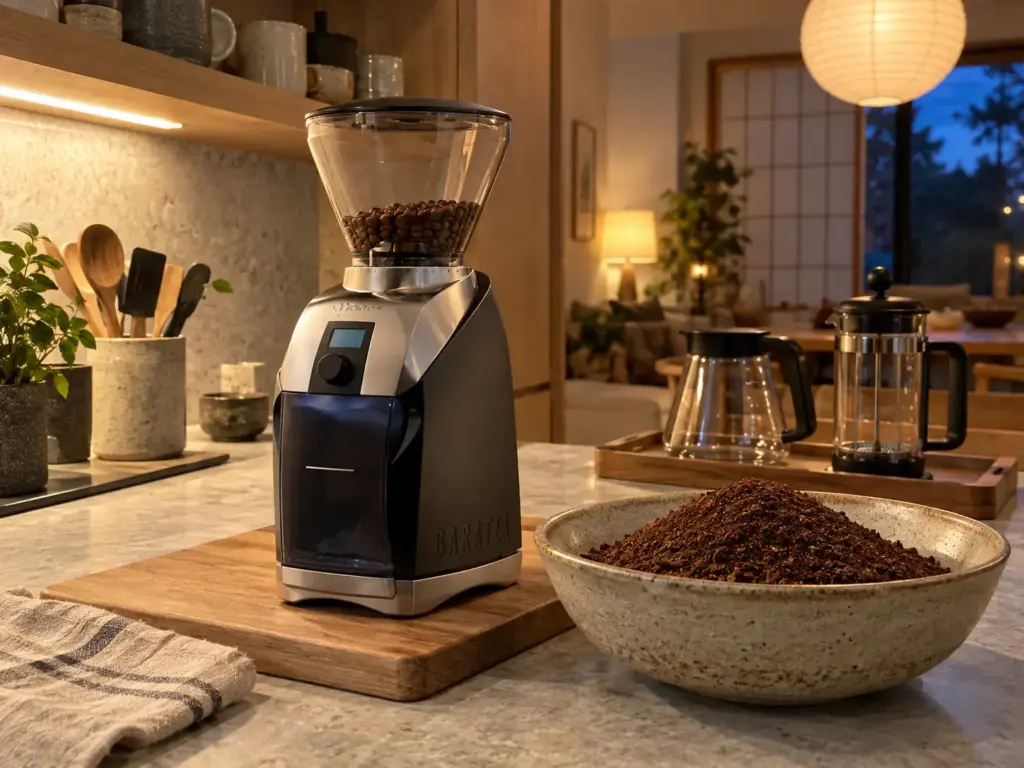
The Baratza Virtuoso+, with 40 mm conical steel burrs and a digital timer, has in its manual’s words “a thermal safety device that protects the motor from overheating and automatically resets once the motor cools,” with no minutes given. Its reviews are uneven, with some units failing inside two months and one owner’s motor giving out three days after it arrived. Breville’s booklet tells you to unplug an overheated Smart Grinder Pro for 20 minutes, never run it longer than 2 minutes at a time, and rest it 10 to 15 minutes after long use. So the right wait is whatever your own manual prints, and a Breville’s 20 minutes means little on a grinder that resets itself.
After a long batch, lay the back of your hand on the housing near the motor. If it is warm in a way it never is after a single dose, the cutoff is the likeliest reason it stopped, and the next step is waiting with the plug pulled, not taking it apart.
Grinding Less at a Time So It Doesn’t Trip
The weekend batch is what trips it: two full pots for guests on a grinder built for one dose at a time, so split the job and rest it between runs. Blade grinders heat faster still, and the usual habit is to grind in 5-second pulses, since a long run overheats the motor and you can smell it happening, which is where how long to run a blade grinder comes in.
After the full cool-down, give it one try. If it cuts out again on the first dose, the heat is coming from a jam or from worn burrs making the motor strain. Even the Sette case stays open, since its only explanation was another user’s guess, doubt included: “Sounds like the thermal overload tripped (if there is one.)”
Runs but Barely Grinds, the Month-Two Chute and Worn Burrs
The grinder that still turns but takes longer every week, or needs a finer setting for the same cup, hasn’t stopped yet. It is heading there, and the cause is either buildup you can clean or burrs that have worn.
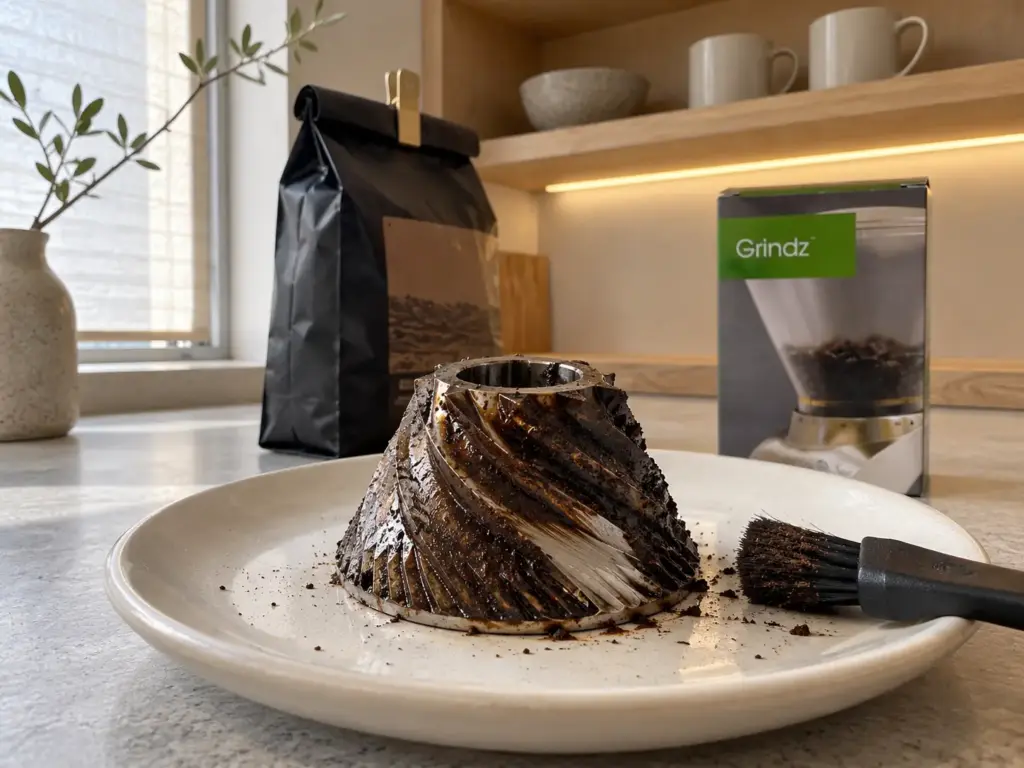
Buildup comes first because it costs nothing. Baratza’s cleaning page says every 4 to 6 weeks, its Virtuoso+ manual allows “at least every few months” for a grinder used daily, and the four-to-six-months figure that circulates comes from roasters rather than a grinder maker. With oily beans, go by weeks.
Wear shows up as slower grinding and a setting that keeps creeping finer, and a grinder that has run out of fine settings is a separate problem worth ruling out first. As for burr life, “hundreds of kilograms” is a café number: Mahlkönig rates the steel burrs of its commercial E65S and K30 at about 800 kg (roughly 1,760 lb) in cafés, and no home-grinder maker prints a figure, so read the signs that the burrs are due instead of counting pounds. The Encore’s review summary counts 1,094 durability mentions, 868 of them negative, and the cause its owners keep naming in the first month or two is still the chute.
Oils From Dark and Flavored Beans
A move to a dark roast, usually the oiliest bag on the shelf, is a common start, because darker roasts carry more oil to the surface and ground coffee sticks to it. If a dry brush smears a dark, shiny film inside the chute instead of lifting grounds away, that film is oil, and it is where cleaning tablets earn their place.
Urnex Grindz comes as three single-use packets of grinder cleaning tablets, and its listing warns against using them in super-automatic machines. The residue is the catch: the Virtuoso+ manual says to grind the tablets at setting 30 and then about 30 g (a little over an ounce) of coffee to clear what they leave, and tablets have been reported to clog a grinder and strain the motor. Tablets are upkeep for a grinder that turns, never the cure for one that has already jammed.
When It Is a Repair, and When It Is a New Grinder
Past the switches, the jam, the heat and the wear, what is left is the motor and the wiring. That is where you stop fixing and start deciding.
The Signs That Mean Unplug and Stop
A burning smell, sparks, or a breaker or fuse that trips ends the troubleshooting: unplug it and don’t try again. According to the Electrical Safety Foundation International, “An appliance which repeatedly blows a fuse or trips a circuit breaker could indicate a defect that may cause a fire or electrical shock.” A motor fault also tends to come and go where a jam never does, so a motor that starts only some of the time points to the motor rather than the burrs.
What You Can Replace Yourself and What Needs a Repairer
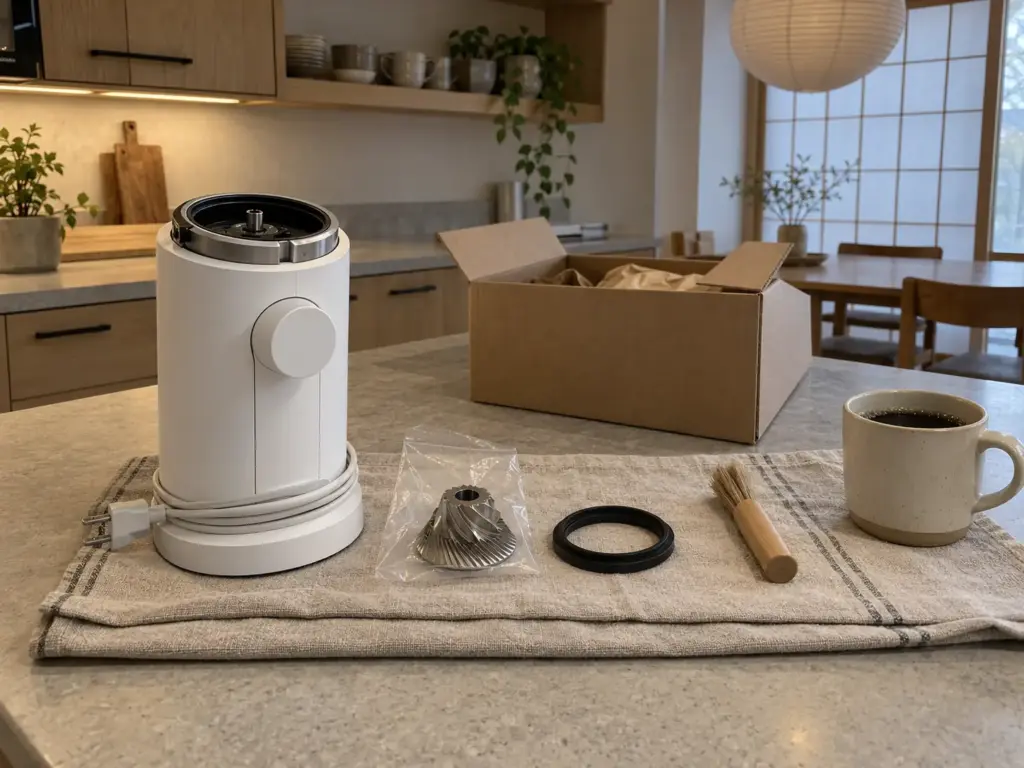
Your side of the line is seating, cleaning and the parts a maker sells, which for Baratza include the ring burr and its holder, the conical burr, the hopper gasket and the brush. The motor, switch, control board and wiring belong to a repairer or the maker’s own technician. A capacitor swap can do nothing, a loose cable can take a long time to find, and a good repairer does not just start throwing parts at it.
A maker that sells the motor can turn a dead grinder into a part. The Badger and Blade owner, who had hoped for “a clogged dispenser or a faulty safety latch,” got a diagnosis by email and a new motor in the mail with an install video. Check the warranty before anyone opens the case: Baratza’s excludes lack of cleaning, normal wear and foreign objects in the beans, and the Virtuoso+ is covered for 1 year or 25 hours of run time, whichever comes first.
Before you write to the maker, note exactly what the grinder does: silent or humming, light on or off, whether it ran after cooling, and how many tries out of ten it starts. Support diagnoses from that description, and it can save a grinder from being opened at all.
Repair or Replace, Without a Price
The arithmetic is short. A part the maker sells costs a fraction of the grinder, while a new motor plus the labor to fit it would outweigh a sealed blade grinder entirely. My rule: if the maker sells the part and the rest is sound, repair it; if it is a sealed blade grinder, replace it with a cheaper burr grinder that holds up.
How long either kind should run is covered in how long a coffee grinder should last, and if the answer is a new one, the next decision is the grinders worth replacing it with, and what wears out first on each.
A Hand Grinder That Won’t Turn
A hand grinder has no motor to die, so a locked crank is mechanical and usually within reach. It is also the grinder people most often force.
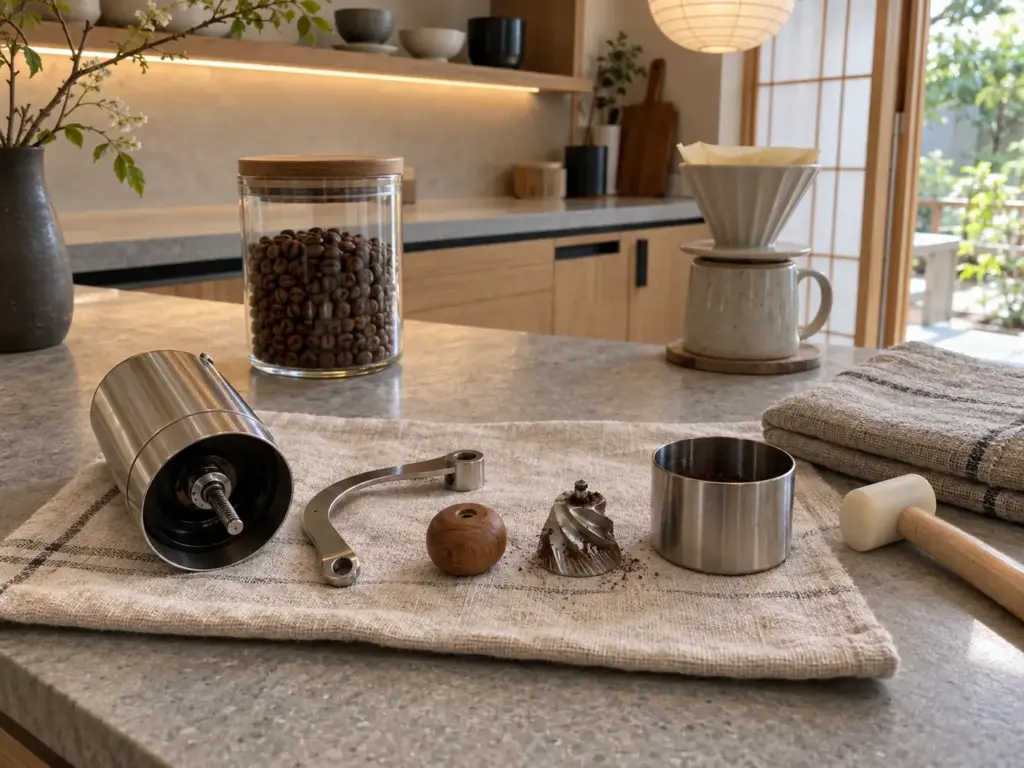
Too fine comes first, often the setting from the night before, so back the adjustment toward coarse and try again; if you have lost your place, set a hand grinder from zero. Packed grounds come next, cleared by taking it apart the way its manual shows and brushing it out, with no water on the burrs. After a drop, a 1Zpresso J-Max can seize, and the maker’s advice is to tap the top bolt with a plastic hammer while the grinder sits on a folded towel. The owner emailed the maker and the retailer first to protect the warranty, and that order is the one to keep.
A crank that turns heavy for half a turn and light for the other half is rubbing somewhere, not fighting hard beans. And the Badger and Blade owner, waiting on the new motor with pod coffee in the meantime, wrote that a backup manual grinder would have been the thing to own, which is the case for a hand grinder as the backup, with no motor to stall on the day the electric one quits.
Listen First, Then Seat the Hopper and Grind One Coarse Dose
- Listen before you unscrew anything: silent, humming, spinning empty and stopping partway each send you to a different check.
- Work the free checks first and one at a time, since most grinders that stop are unseated, jammed or hot rather than broken.
- Stop at a burning smell, sparks or a tripped breaker, because from there it is a repair or a replacement.
A month from now, watch the chute and the bin while it runs, since grounds arriving in clumps and bursts are the warning a dose or two before the next jam. Tomorrow, seat the hopper until it clicks and grind one dose at the coarsest setting; if the grounds fall in a steady stream, step back toward your usual number one setting at a time and taste the cup at each stop.
Frequently Asked Questions
01Why did my coffee grinder suddenly stop working?
Usually because a safety switch opened, the chute jammed or the motor overheated and cut out, not because the motor died. Check that the hopper or lid is locked, clear the chute with the grinder unplugged, then let it cool before one more try.
02How do I reset a coffee grinder?
Most home grinders have no reset button, so unplug it, let it cool, reseat the hopper or lid, and try one dose at a coarse setting. Breville says to leave the Smart Grinder Pro unplugged for 20 minutes, while the Baratza Virtuoso+ resets itself once the motor cools.
03Why is my coffee grinder running but not grinding?
A motor that spins with nothing coming out almost always means a clogged chute or burrs set too fine, and worn burrs come after those. Unplug it, push the chute clear with a brush handle or a paperclip, and restart at the coarsest setting.
04Can I clean a jammed coffee grinder with rice or water?
No: the Baratza Encore manual says to grind nothing but cleaning tablets through the grinder, and water rusts steel burrs while moisture, Breville says, clogs the grinder. Clear it with a brush and a paperclip, and let every part dry fully before you reassemble it.
05How long should a coffee grinder last?
It depends on the grinder and on whether its maker sells burrs and motors as parts, because a supported grinder can be repaired long after a sealed one gets replaced. The numbers are in how long a coffee grinder should last.



How did your cup turn out?
No comments yet. Tell us what you changed — and whether the needle moved.